
Keep your agents moving.
Mouse is the best way to code from your phone.
● Free trial
neon-metro-demo.md
Neon Metro Demo Plan
North star: Ship a tiny transit-map playground: mocked arrivals in JSON, pinch‑zoom SVG lines, and tap‑to‑highlight stops—static hosting only, no accounts.
1. Where we are today
2. Phase breakdown
Phase A: normalize fixtures in arrivals.ts.
Phase B: gestures + camera in map-view.tsx.
Tasks
Schema GTFS-ish fixtures + seed arrivals JSON
Pinch/zoom map + station tap targets
Perf sweep + Lighthouse snapshot on mobile
- 01
Start the plan on your computer
Use Cursor where the repo, terminal, and context already live.
- 02
Mouse keeps the thread alive
Plans, questions, and changes show up as a clean mobile timeline.
- 03
Respond when the agent gets stuck
Approve the next step, answer a question, or send it back to work.
Pick up where you left off
Plan Mode lets your agent think before it builds. Mouse lets you review, refine, and approve that plan from your phone.
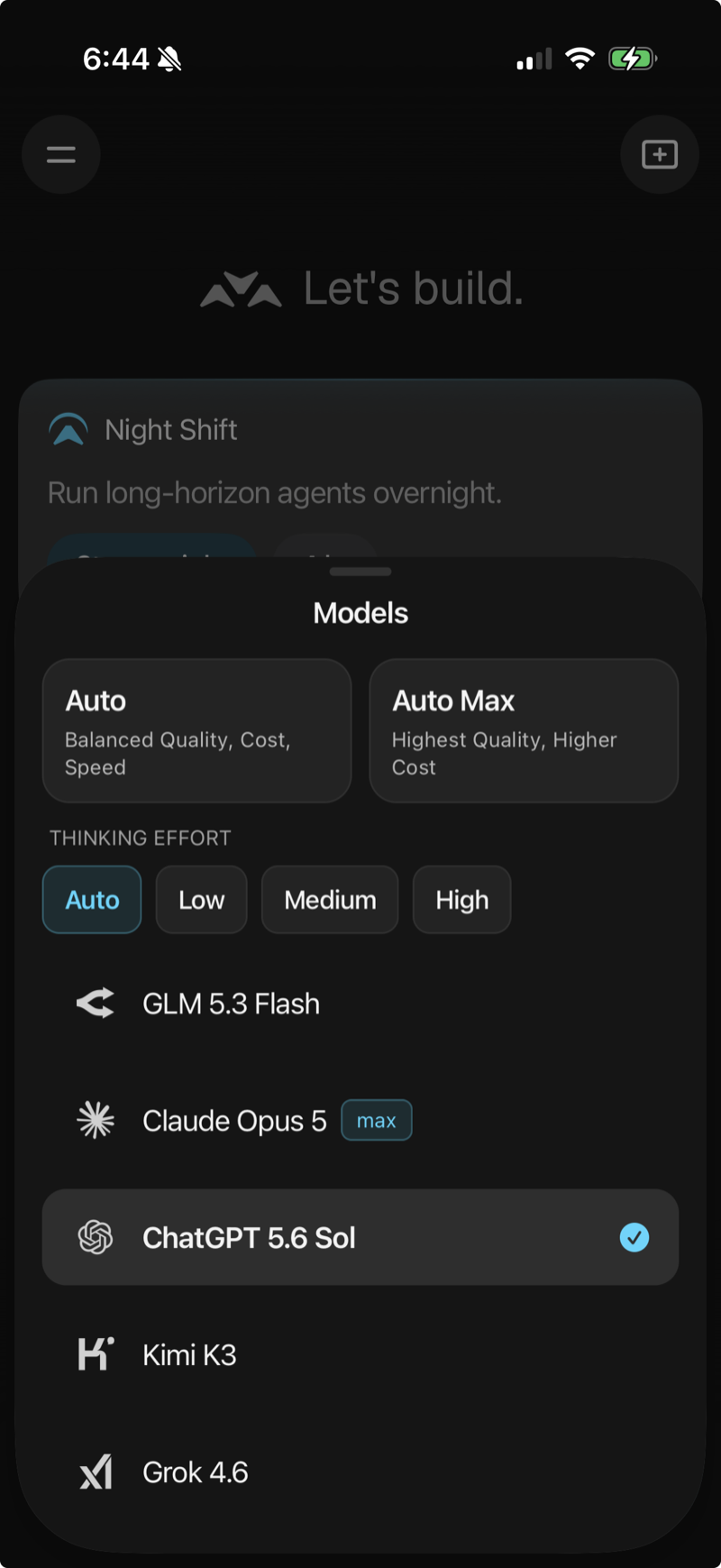
Use the best models.
Claude Opus 5, ChatGPT 5.6 Sol and Kimi K3. Pick one per task, or let Auto choose.

Needs your review
Add pinch-zoom to transit map

Handle blockers before they stall.
Get a notification when your agent needs a decision or completes a task, so you can keep the build moving from anywhere.
Give your agents real horsepower.
Every agent gets a dedicated Firecracker microVM that boots in 125ms and runs at 95% bare-metal performance.


Start with a 2-day trial.
Pro and Max both include hosted cloud-agent usage and the controls you need to keep work moving when you leave your desk.